













C3Z Sensor Cables and Connectors: Specify the Interface Before Ordering
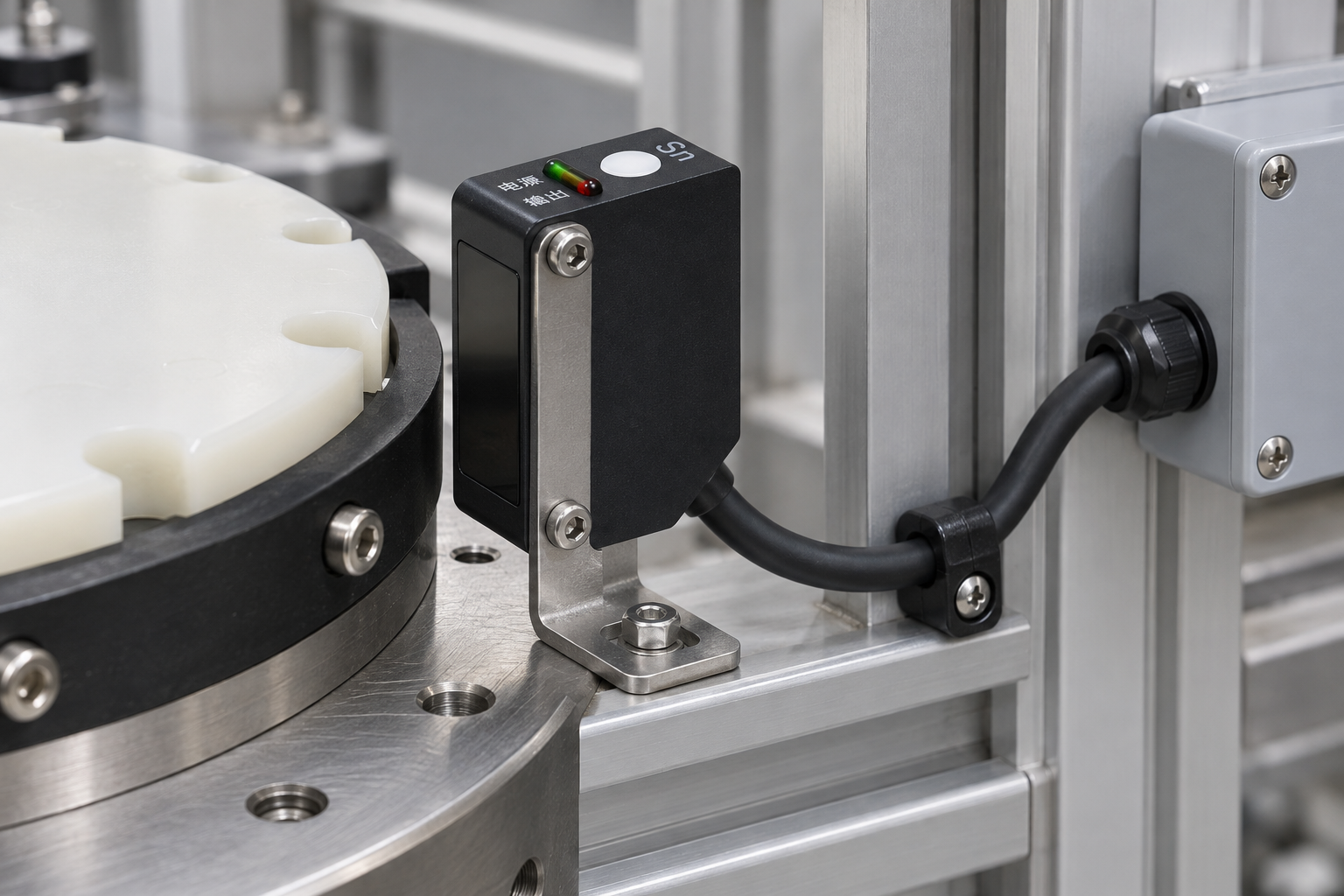
Specify a photoelectric sensor’s cable interface before ordering: confirm whether the delivered unit has a fixed lead or an actual connector, then match its electrical function, termination and cable requirements to the machine. The C3Z-D100N photographed here has an integral cable outlet. It should not be treated as a plug-in sensor merely because a separate field connector could be added elsewhere in an installation.
A connector that fits mechanically does not establish the correct pin assignment, output type or environmental performance. These details belong in the purchase specification and replacement procedure, not just in a photograph of the connector shell.
Distinguish the sensor interface from the machine interface
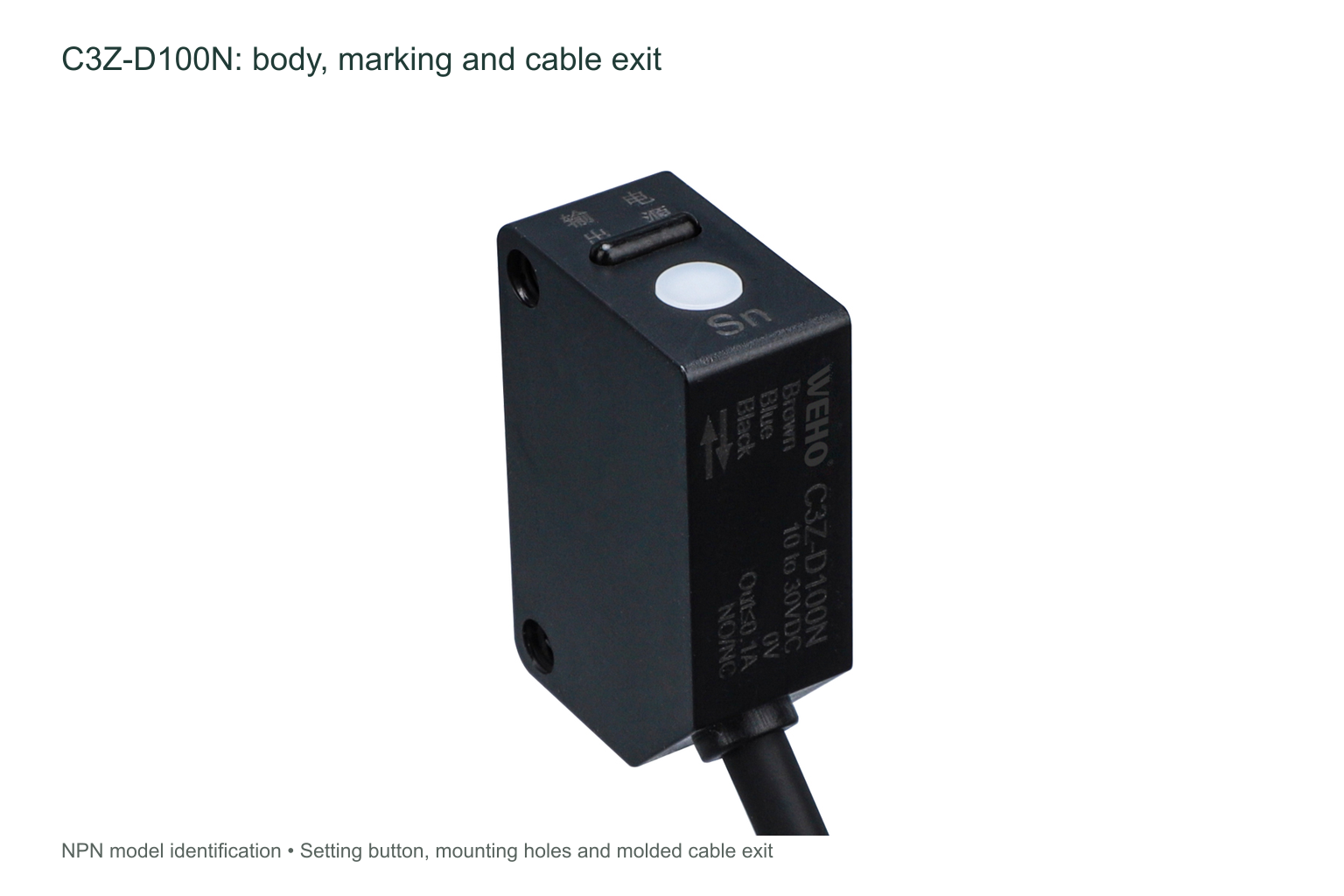
The original C3Z-D100N photos show a black cable permanently emerging through the molded body outlet. They do not show a threaded connector on the sensor. The matched C3Z sheet supplies electrical diagrams and body dimensions, but it does not establish a particular detachable-connector option for this photographed unit.
A machine designer may terminate a fixed sensor lead inside a junction box or use a separately specified connection elsewhere. That changes the machine-side interface; it does not turn the sensor body into a different factory version. Keep the accessory or junction assembly separately identified in the bill of materials and ask who is responsible for supplying, terminating and testing it.
Order the electrical function as well as the cable
For the C3Z-D100N, the matched sheet identifies an NPN diffuse-reflective model supplied from DC 10–30 V, with a load-current limit of 100 mA. Its diagram identifies brown as the positive supply lead, blue as 0 V and black as the switching output. The receiving input must be suitable for that output arrangement.
Those lead colors are not a connector pin-number map. If an external connector is used, document the actual mapping from each sensor lead to each numbered contact and confirm it against both mating parts. Do not copy an assumed pinout from a different sensor or cable set. A passive adapter does not change an NPN output into PNP.
Also specify the required switching behavior. The full model and the intended normally-open or normally-closed behavior must remain part of the machine documentation. Replacing a cable assembly should not silently change the signal expected by the control system.
| Order item | What to state | What not to assume |
|---|---|---|
| Sensor termination | Fixed cable or a separately confirmed factory connector version. | A connector option from the general appearance of the product family. |
| Cable length and construction | Required route length, conductor details and environmental or motion demands. | That a photograph establishes lead length, jacket material or continuous-flex suitability. |
| Mating interface | Actual connector type, coding, contacts and pin assignment if an accessory is used. | That the same shell automatically means electrical compatibility. |
| Control behavior | NPN or PNP, switching behavior and receiving-input requirements. | That changing the plug changes the electronic output function. |
| Service boundary | Which component is replaced and where the replacement is disconnected. | That a field termination is a factory-supplied part of the sensor. |
Specify a usable route, not just a nominal length
Measure the route from the actual sensor outlet to its intended termination, including the path through the machine and the access needed for servicing. Avoid pulling the cable tight to make an undersized lead reach. Equally, excessive loose cable must not fall into moving parts or the optical path.
Support the lead on the stationary structure so routine cable handling is not transferred directly to the sensor outlet. Where a route crosses an enclosure edge, select the appropriate passage and support arrangement for that enclosure. Keep the sensor’s original outlet unchanged rather than enlarging it or attaching an improvised plug to the body.

Make motion and environment explicit
A fixed lead used in a stationary machine is not automatically suitable for continuous bending, torsion, oil exposure or aggressive cleaning. Tell the supplier where the cable will move, what it may contact and how it will be cleaned. Ask for the relevant cable and assembly data rather than inferring durability from a black jacket.
The matched C3Z sheet gives non-condensing environmental conditions, but it does not provide all the cable-construction, connector-sealing and motion ratings needed for every installation. A separate connector’s protection claim also does not automatically apply to the whole assembled sensor route. Check the conditions, mating components and installation method associated with any claimed rating.
Plan replacement without changing the signal path
A good replacement record includes the full sensor model, the original lead functions, any external connector pin map and the receiving input reference. Mark the machine-side termination clearly enough that a technician can identify the correct lead without relying only on cable color.
After replacement, use the machine’s approved isolation and recommissioning procedure. Verify the supply and intended output interface, then check both target-present and target-absent conditions at the sensor and the receiving control input. Mechanical fit of a plug is only one acceptance item.
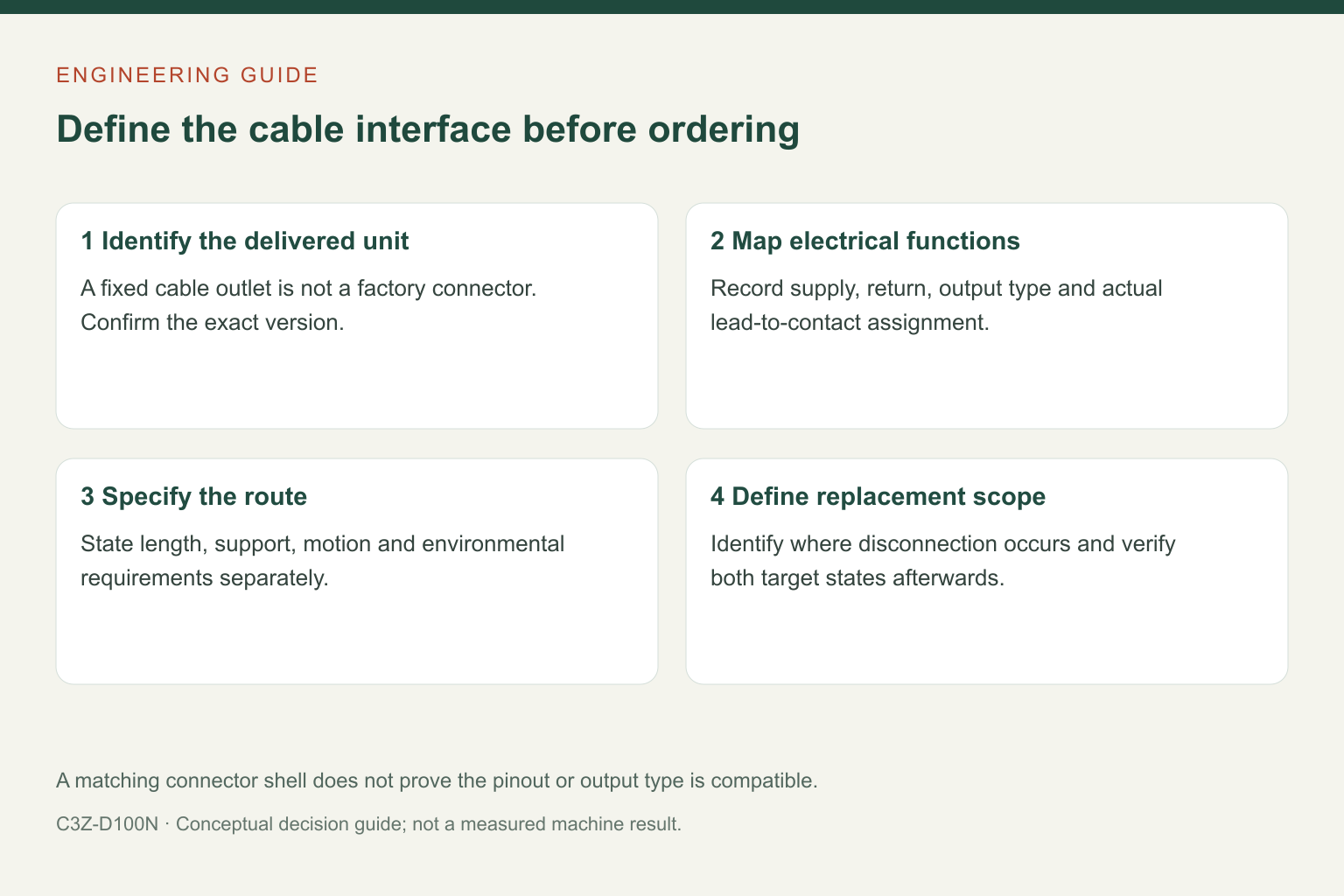
Information to send before purchase
Send the full C3Z model, a photograph of the actual cable outlet, the required route and termination, the receiving input details and any motion or environmental requirements. If a connector-based service interface is wanted, ask for a clearly identified assembly and drawing rather than accepting an unspecified “standard connector.”
다음 항목 검토 C3Z product information 그리고 contact WEHO with the complete interface requirements. Any alternative connection version should be confirmed against its own delivered configuration.
Frequently asked questions
Does the photographed C3Z-D100N have an M12 socket?
No socket is shown on the original unit; it has an integral cable outlet. A separate connector option needs its own confirmation and drawing.
Can I use a connector’s pin numbers as the sensor wiring diagram?
Only after the actual lead-to-pin mapping is documented and checked. The C3Z lead-color diagram is not a universal connector pinout.
Will an adapter change NPN to PNP?
A passive cable adapter does not change the sensor’s electronic output type. Match the sensor and receiving input, or specify a suitable interface separately.