












C3Z Sensor Bracket Selection: Keep Alignment, Cable Support and Service Access Stable
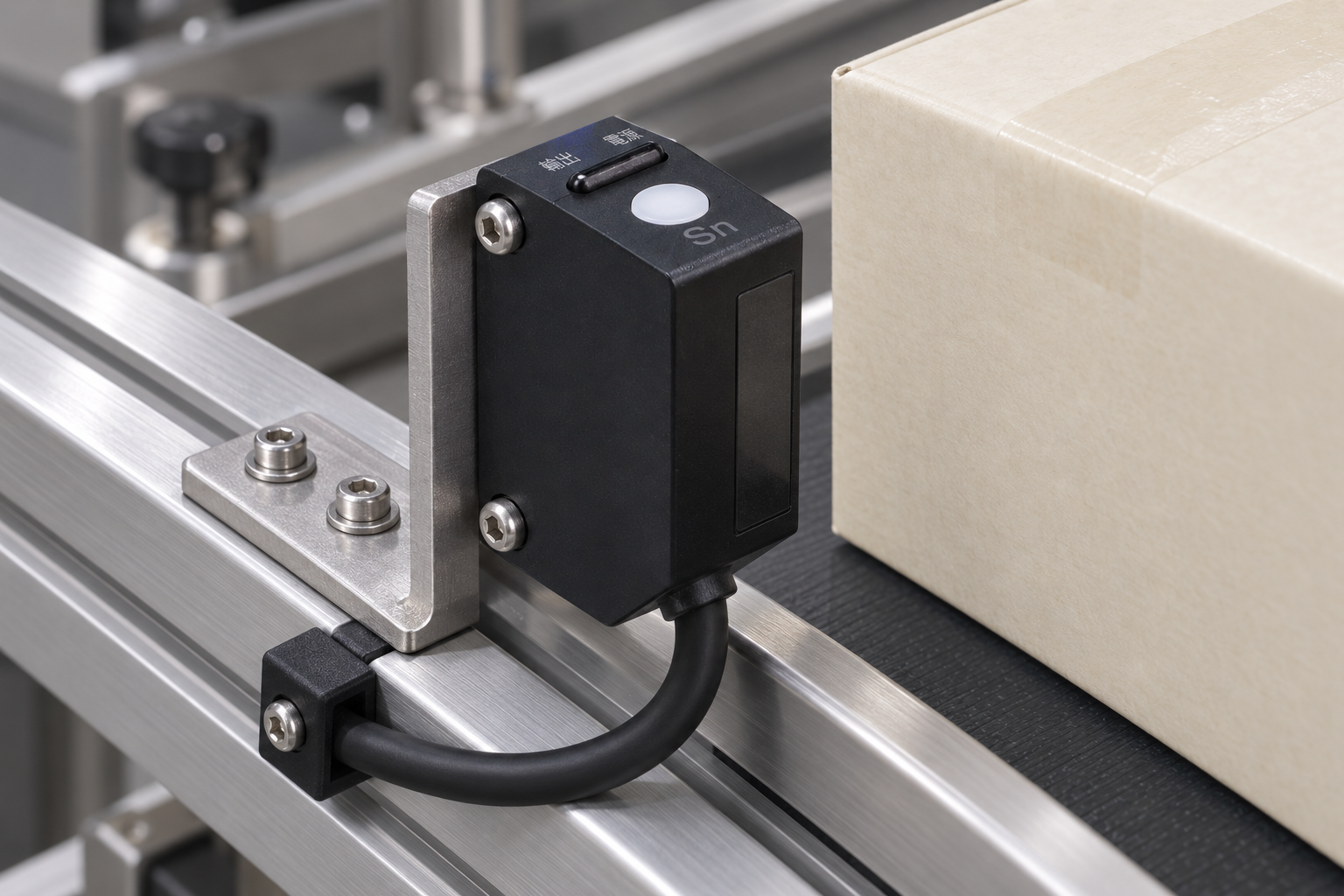
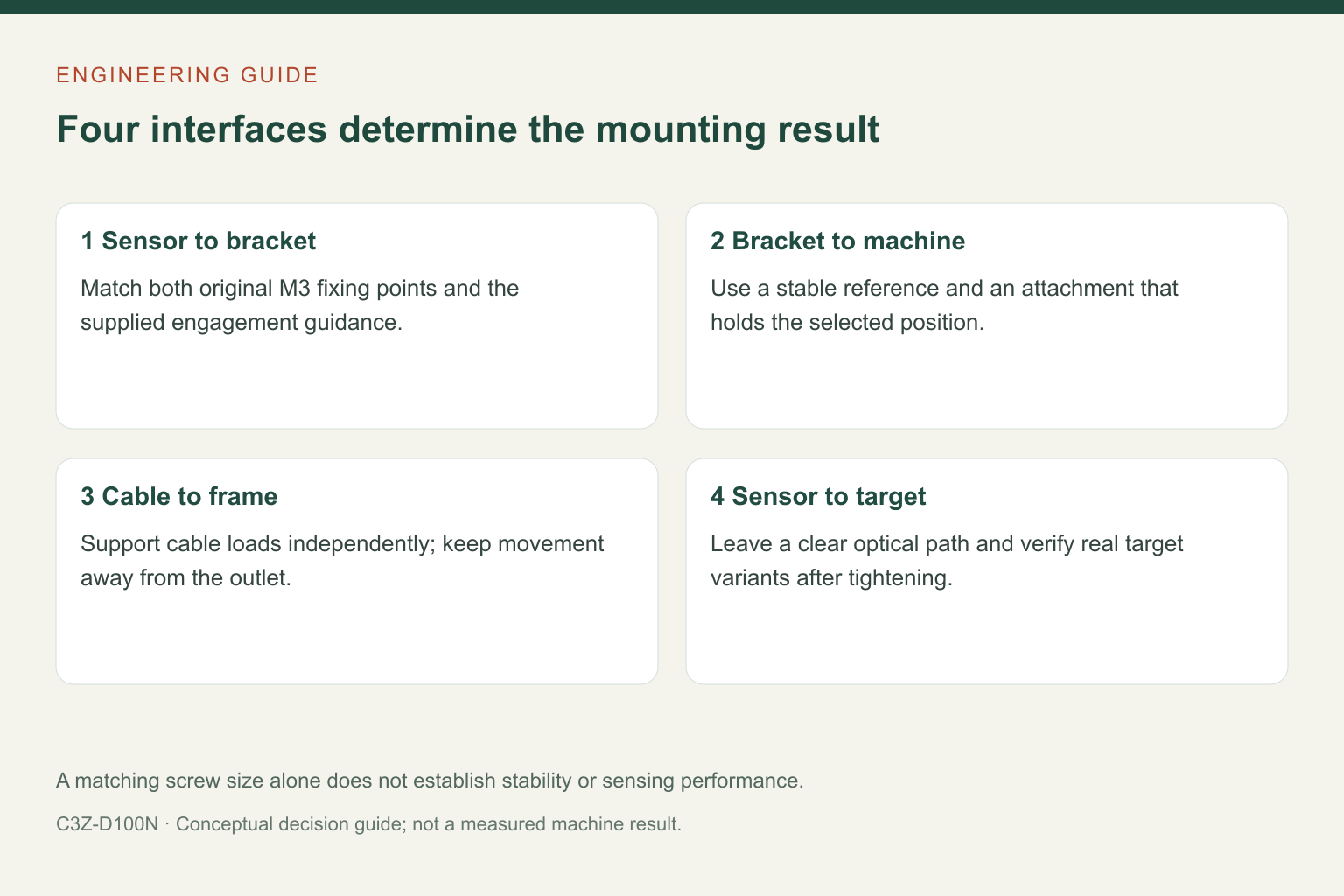
A photoelectric sensor bracket should hold the sensing direction steady, carry cable loads away from the body and leave the controls accessible. Matching the screw size alone is not enough. For the compact C3Z-D100N, begin with the two original M3 fixing points and the real target path, then choose the bracket geometry around them.
The practical purchasing question is not simply whether an accessory fits the sensor. It is whether the assembled sensor, bracket, machine frame and cable route will preserve the same detection point after adjustment, cleaning and normal machine movement.
Separate sensor attachment from machine attachment
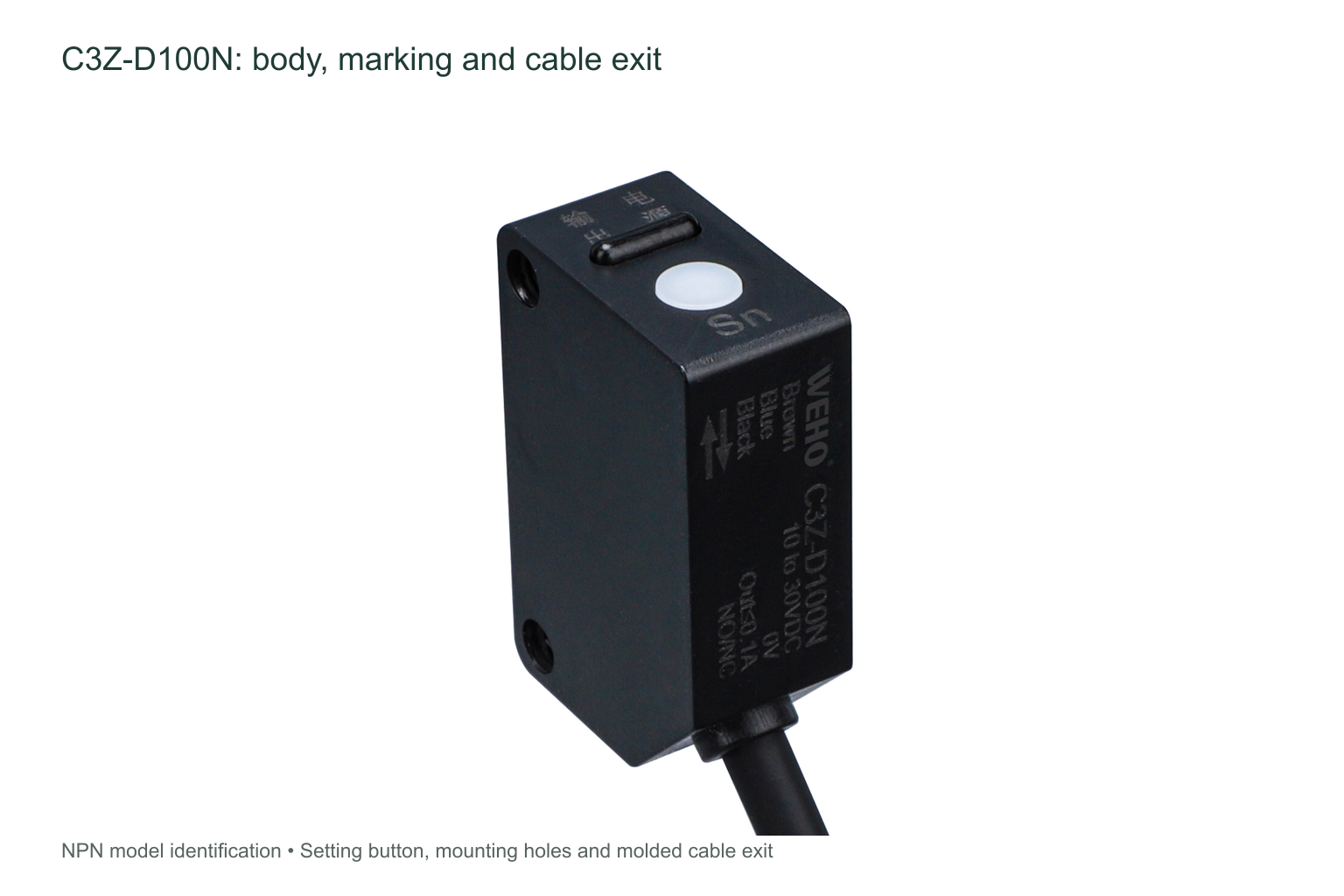
The C3Z drawing identifies two M3 fixing points in the sensor body and shows a corresponding mounting bracket. These are different from the holes or slots used to attach the bracket to the machine. A bracket can match the sensor and still be unsuitable for a narrow extrusion, an angled guard or a frame that moves relative to the target.
Ask for the complete accessory drawing with the quotation. Check the sensor-hole pattern, bracket thickness, bend geometry, usable slot travel and the machine-side fixing method. Confirm screw engagement and tightening guidance for the supplied parts; do not choose a longer screw or a tightening value by appearance. The available C3Z sheet does not specify a mounting torque or a vibration qualification for every customer bracket.
Keep the optical face clear throughout adjustment
The D100N is a diffuse-reflective sensor: it receives light returned from the target. Its optical face needs a clear view of that target, not the back of a bracket, a guard edge or a cable loop. Check this at both ends of an adjustment slot and across the full range of expected product positions.
The C3Z table gives an adjustable nominal distance of 100 cm for the D100 variant using a 10 × 10 cm white matte-paper reference target. That is not a promise that every dark, glossy, small or angled object will switch at the same position. Place the actual production target in the proposed geometry before finalizing the bracket. A mechanically convenient location may still provide a poor optical return.
| Bracket decision | What to check on the assembled machine | Information to request |
|---|---|---|
| Fixing pattern | Both original sensor fixing points align without forcing the body. | Sensor and accessory drawings, screw specification and engagement guidance. |
| Adjustment direction | The slot allows useful aiming without blocking the sensing window. | Required adjustment envelope and a view of the target path. |
| Structural support | The bracket and its machine attachment do not shift relative to the target. | Operating movement and vibration conditions for an application review. |
| Service access | The button, indicator, screw heads and optical face remain reachable. | Clearance around guards, tools and replacement parts. |
Do not let the cable become a second mounting system
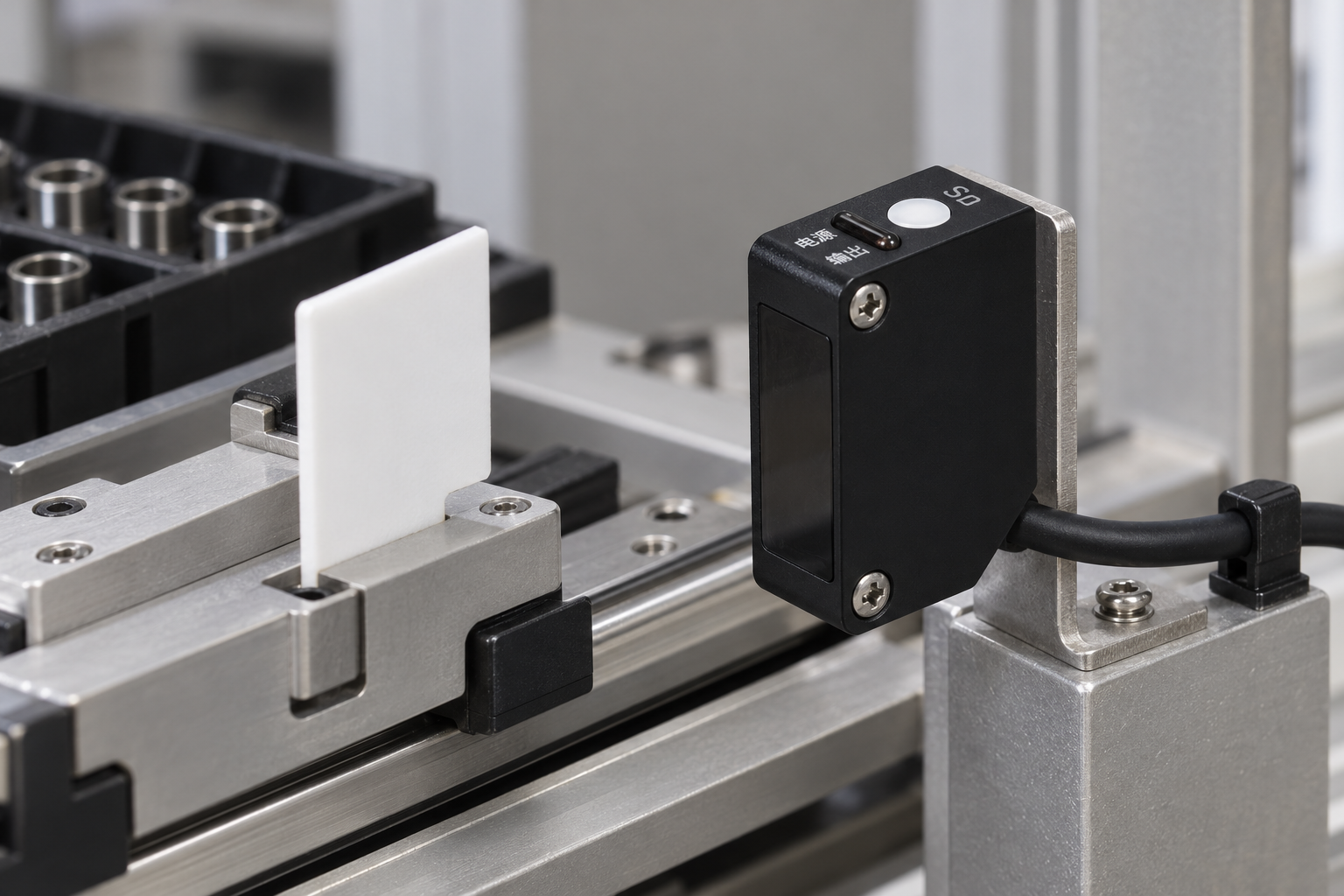
The photographed C3Z-D100N has an integral cable outlet. A taut cable can load the sensor body or pull an adjustable bracket away from its intended position. Provide separate cable support on the fixed machine structure, with enough local freedom for the required adjustment and removal procedure.
Keep the cable away from moving carriers, sharp edges and the optical path. Do not assume that a general-purpose cable tie establishes a rated strain-relief system, or that the cable is suitable for repeated flexing in an energy chain. Ask for the actual cable specification when continuous motion, cleaning chemicals or unusual temperatures are involved. A bracket that protects alignment does not establish the cable’s environmental suitability.
Choose a repeatable reference, not maximum slot travel
Long slots can simplify initial aiming, but they also permit more movement when the fixing is loosened. Decide which feature establishes the final position: a machine datum, a documented bracket location or a repeatable adjustment procedure. The choice depends on whether operators change target size frequently or whether the detection position should stay fixed for months.
A compact, well-supported bracket is often easier to keep consistent than a long cantilever. This is a mechanical design consideration, not a published C3Z vibration rating. If the station vibrates, assess the complete assembly under representative conditions rather than accepting the sensor body alone as proof of stability.
Verify the position after tightening
Align the sensor with the real target, secure the assembly using the applicable instructions and then repeat the target-present and target-absent checks. Include the nearest background or machine feature that might return light. Verify the receiving control input as well as the sensor indication, because a stable bracket does not resolve an incorrect electrical interface.
Run representative products through the expected travel and observe whether the switching point remains suitable for the process. Include the smallest or least reflective intended target where relevant. Record the final bracket position, sensor settings and cable support so maintenance staff can restore the same arrangement instead of guessing from a photograph.
What to send with an accessory inquiry
Provide the full sensor model, target material and size, required detection position, machine mounting surface, available clearance and a photograph or drawing of the cable route. Explain any moving-axis, washdown or vibration conditions separately. Ask the supplier to identify which accessory is included and which hardware or machine-side features remain your responsibility.
For a review of the sensor and mounting arrangement, send WEHO the application details. The C3Z product information can help identify the family, but the delivered model and accessory drawing should control the final mechanical check.
Frequently asked questions
Will any bracket with two M3 holes work?
No. Hole spacing, screw engagement, bracket stiffness, optical clearance and machine attachment also matter. Confirm the full drawing rather than relying on screw size alone.
Can the cable hold the sensor in position while the bracket is adjusted?
The cable should not be used to locate or support the sensor. Support it independently and leave the freedom required for the intended adjustment without stressing the outlet.
Does a stable mount guarantee the full listed sensing distance?
No. A stable mount preserves geometry. Detection still depends on the real target, background and environment; the published D100 distance is tied to its stated reference target.