

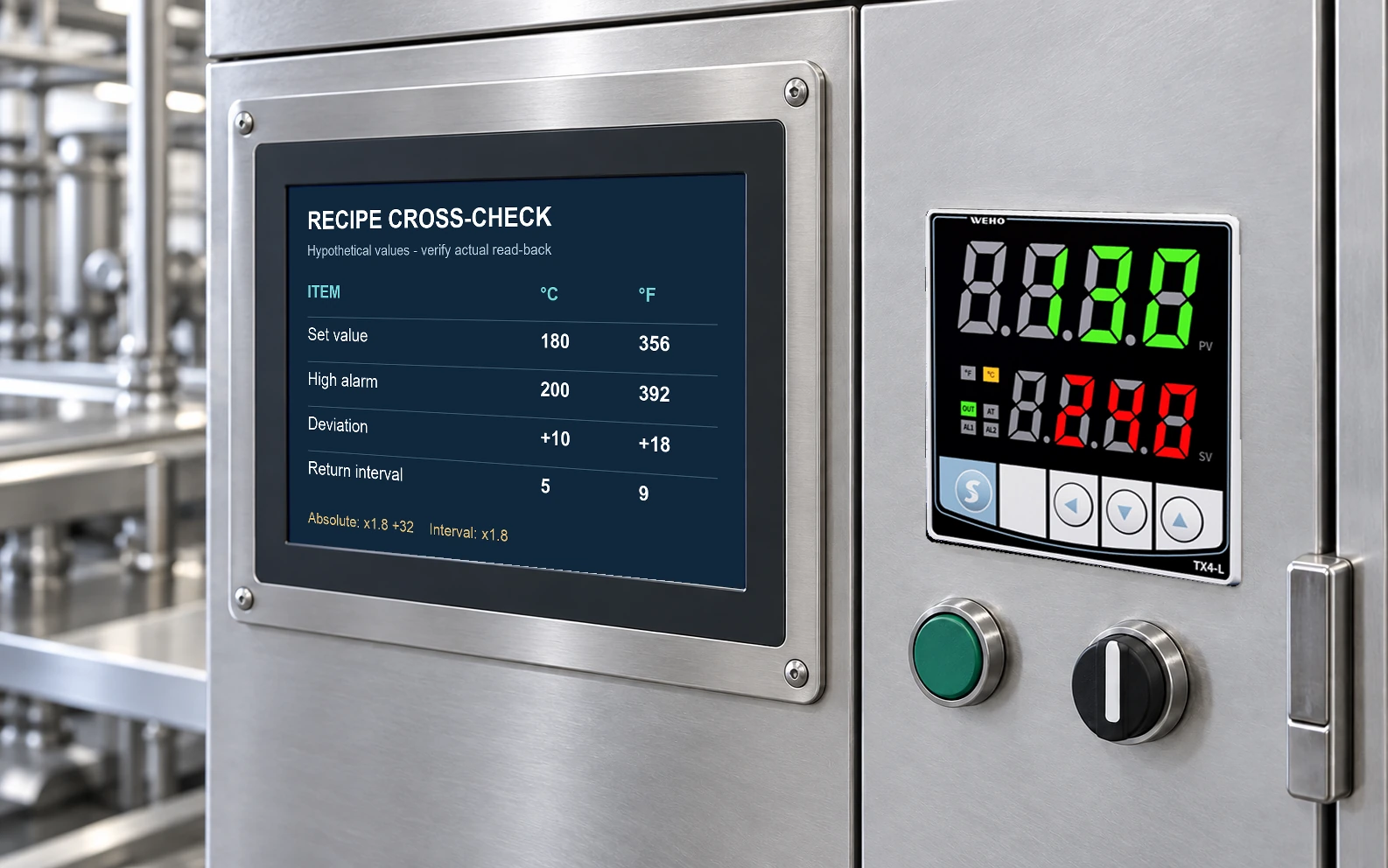
A temperature-unit change requires a recipe audit, not only a new symbol on the TX4-L display. Review set value, limits, alarms, differential values and external records together. Absolute temperatures and temperature differences use different conversion formulas.
This guide is for an OEM commissioning engineer transferring a temperature-control recipe between markets or operating instructions. It provides an arithmetic cross-check and a read-back method. It does not assume that a TX4-L automatically converts every parameter when the unit setting changes.
Confirm the unit function and the complete configuration
The WEHO TX4-L page describes°C/°F selection and the front unit indication. The TX4 230808EN manual includes temperature-unit and decimal-point settings, set-value limits and alarm parameters. These entries make a complete configuration record necessary; the front symbol alone cannot prove that every stored value has the intended meaning.
Read the applicable manual and record the full ordering code and firmware information available on the unit. Do not infer the conversion behavior of all parameters from the presence of a°C/°F menu. If automatic handling is not explicit, verify the values under an approved setup procedure before enabling the process output.
Separate absolute values from differences
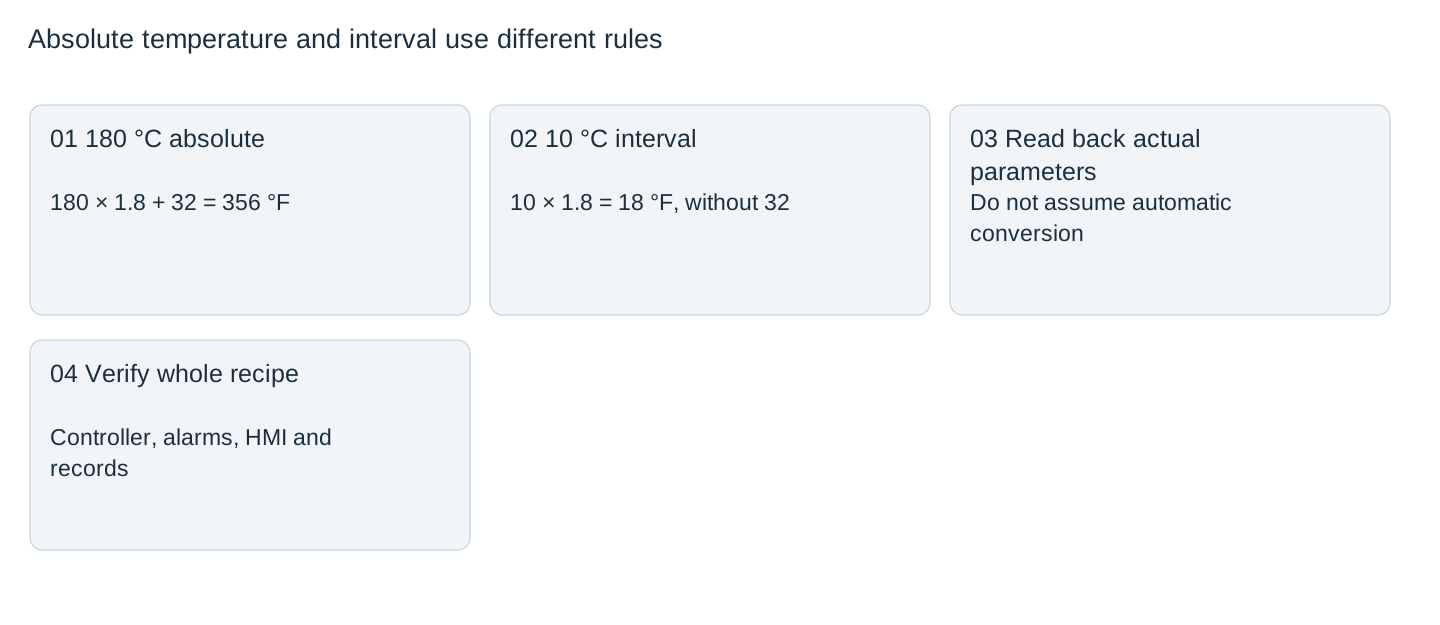
For an absolute temperature, use °F =°C ×9/5 +32. For a difference or interval, use Δ°F =Δ°C ×9/5, with no added 32. A ten-degree Celsius differential is an eighteen-degree Fahrenheit interval, not fifty degrees Fahrenheit.
The parameter’s actual meaning determines which formula applies. An absolute high-temperature alarm, an alarm relative to the set value and an ON/OFF return interval are different objects. Review the selected alarm type and its parameter description before converting a number labeled simply “alarm.” A parameter name copied from a spreadsheet is not enough.
A sample recipe with three kinds of values

| Hypothetical item | Celsius record | Fahrenheit cross-check |
|---|---|---|
| Set value, absolute | 180 °C | 356 °F |
| Absolute high alarm | 200 °C | 392 °F |
| Deviation above set value | +10 °C | +18 °F |
| Return differential | 5 °C interval | 9 °F interval |
The arithmetic is 180 ×1.8 +32=356;200 ×1.8 +32=392;10 ×1.8=18;5 ×1.8=9. These are illustrative recipe numbers, not recommended process values. A deviation alarm using+18 °F above 356 °F would correspond to 374 °F if that is how the documented alarm mode operates. It must not be confused with an absolute 18 °F threshold.
Use a controlled old-to-new comparison
Before changing units, capture the complete configuration with units attached to each numeric entry. Include input type, decimal resolution, set-value limits, alarm modes and the output-control settings that affect operation. Keep process power in the appropriate commissioning state so unexpected settings cannot energize equipment during comparison.
After the unit change, read each relevant parameter back from the controller. Record whether the unit converted it, retained the same number, reset it or prevented the setting. Do not fill a spreadsheet with expected converted values and call them actual read-back. Any unsupported parameter behavior requires clarification from the applicable documentation or supplier.
Check measurement and action with a traceable reference
Use a suitable reference or documented simulator for the selected input to check that the displayed temperature corresponds to the intended unit. Then verify the relevant control and alarm behavior under an approved procedure. Match external labels, HMI recipes, logs and operating instructions so one interface does not continue to interpret the old unit.
Resolution also matters. A controller or recipe system that rounds whole degrees can represent a different interval after conversion. State the project’s acceptable representation and compare the stored/read-back values with that requirement. Do not turn rounding into an undocumented process tolerance or claim a tighter measurement accuracy from an extra decimal place.
Release the complete recipe, not a screenshot
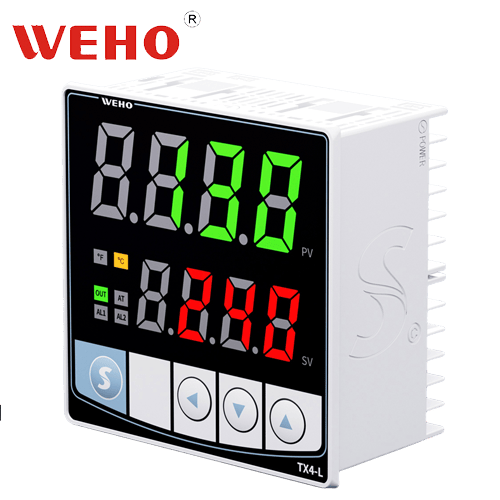
The official TX4-L image shows the 96 ×96 mm front form and unit-indicator positions. Its photographed display is an identity illustration, not evidence that the worked recipe was loaded or tested. A release record should contain the old and new units, parameter read-back, arithmetic check, actual verification and the matching external documentation revision.
After a controller replacement or recipe import, repeat the affected checks. A familiar set-value number can represent a very different process temperature when the unit setting changes, so both the number and its meaning must remain controlled.
Send WEHO the full TX4-L code, current and desired unit, input type, complete parameter record and any unexpected read-back. Ask for model-specific conversion behavior before approving the unit-change procedure.
Unit-change recipe audit
| Parameter | Absolute or interval | Old value/unit | Calculated equivalent |
|---|---|---|---|
| Actual handling | Converted/retained/reset | Controller read-back | Perbezaan |
| Behavior verification | Reference/input | Control/alarm response | Evidence |
| External records | HMI/labels/logs | Updated revision | Release |
Blank project worksheet. Enter verified project data; example calculations above are not measurements.