














TX4 PV and SV: Distinguish the Measured Temperature from the Set Value
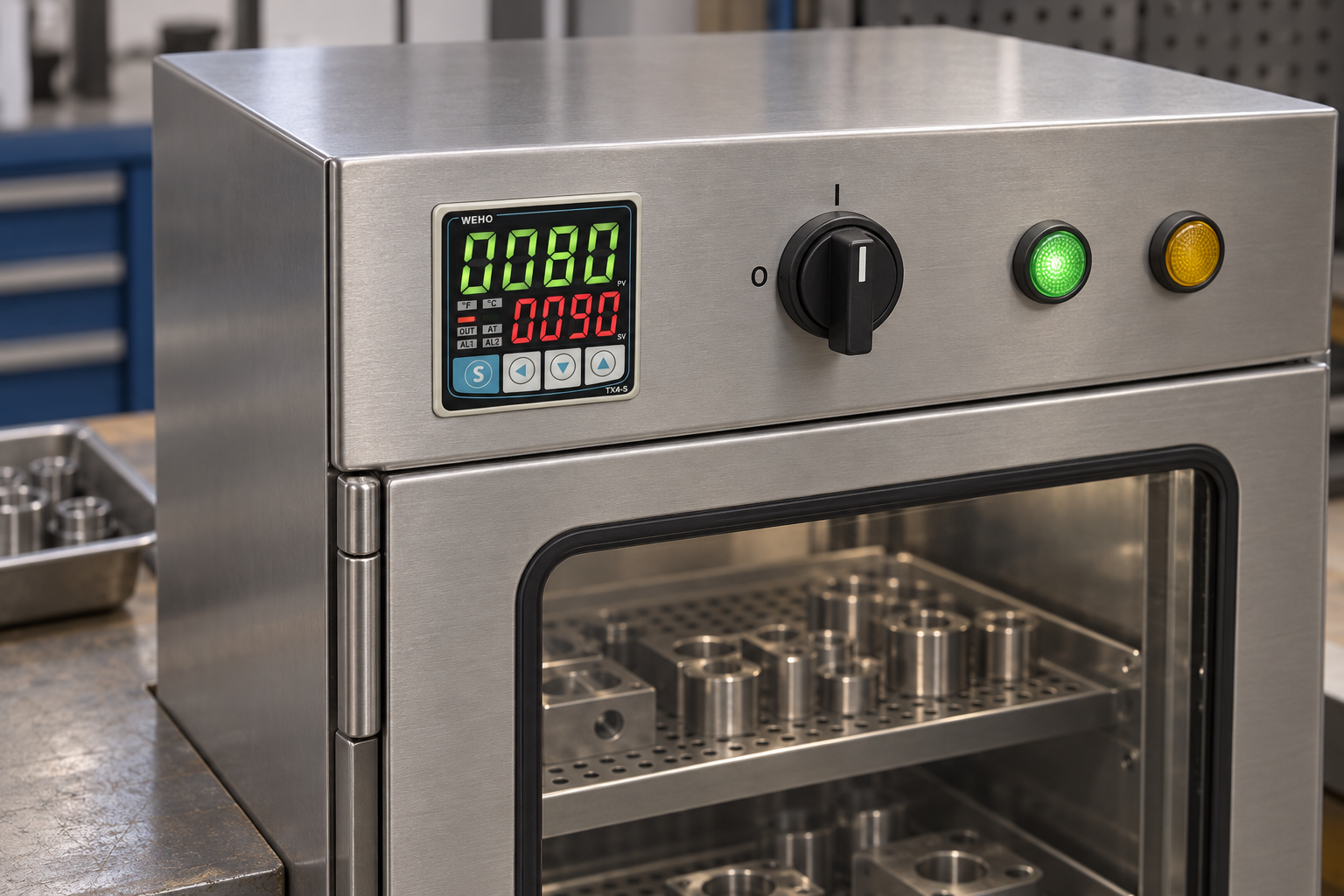
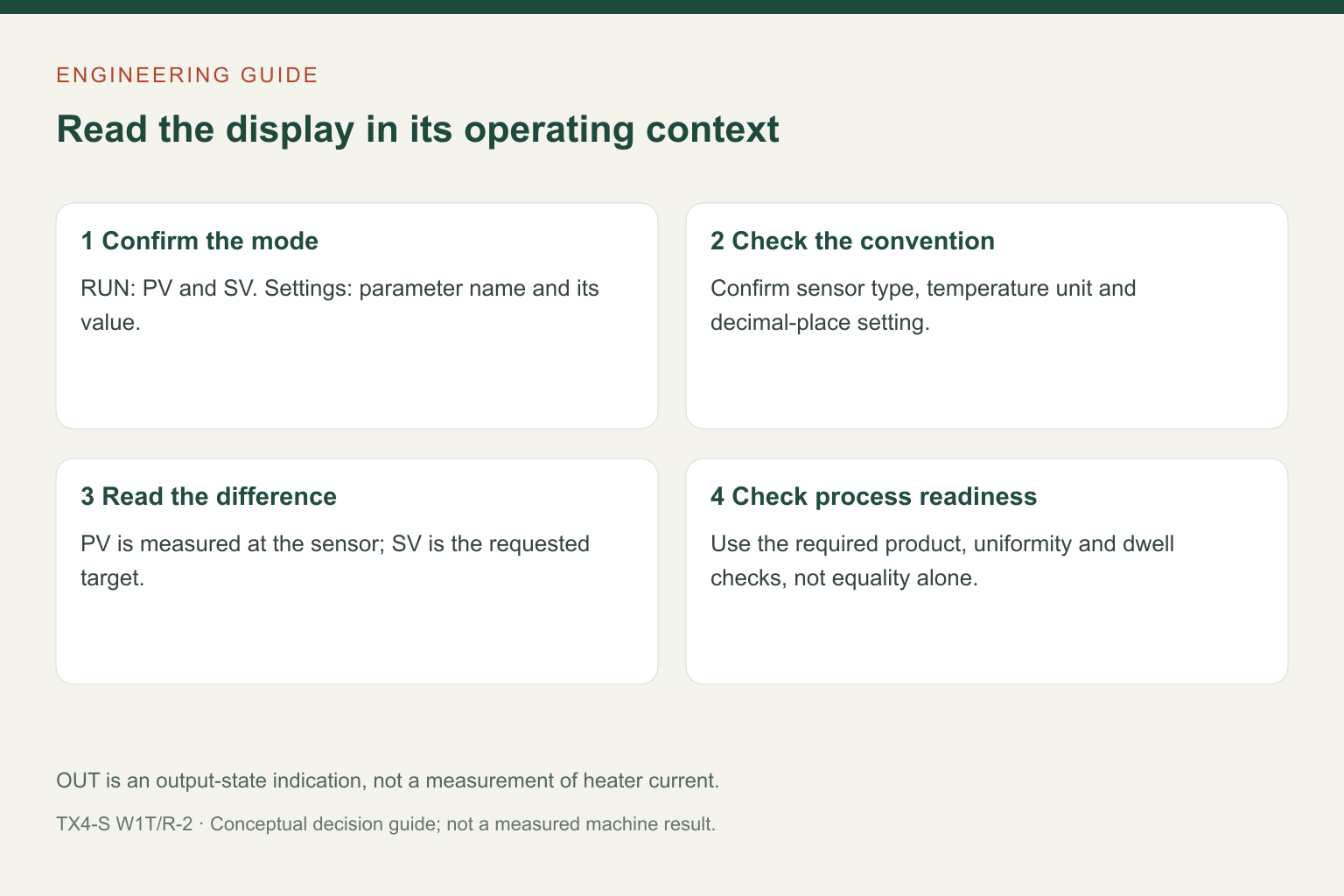
On the TX4 dual-display controller in RUN mode, the upper green PV row shows the present measured value and the lower red SV row shows the set value. PV is the controller’s reading from its configured sensor input; SV is the target entered for control. Changing SV does not instantly change the measured temperature.
Before interpreting a photograph or asking why a process is not ready, confirm the operating mode, temperature unit and input configuration. The same display rows also show parameter names and values when the controller is in its settings menus.
Read the mode before reading the numbers
The TX4 manual separates RUN mode from setting mode. In RUN mode, the upper display presents PV and the lower display presents SV. In setting mode, the upper row displays the parameter name and the lower row displays its value. A menu code is therefore not a temperature reading, even though it appears in the same location.
The unit indication also matters. Compare a reading with a work instruction only after checking whether the controller is configured in °C or °F and whether a decimal place is in use. A receiving team should document the required display convention, not assume that every delivered controller has the same setup.
| What appears on the front | Meaning in normal use | What it does not prove |
|---|---|---|
| Upper green PV in RUN mode | Present value derived from the configured sensor input. | Uniform temperature throughout a product, chamber or heated surface. |
| Lower red SV in RUN mode | Requested control set value. | That the process has reached this value or completed a required dwell. |
| Parameter code and value in setting mode | The setting currently being inspected or edited. | A live process-temperature pair. |
| OUT, AT or alarm indication | The corresponding controller state described by the manual. | Independent proof of heater current, product quality or safe shutdown. |
A temperature difference needs a time context
Consider an illustrative RUN display with PV at 80°C and SV at 90°C. The controller is reporting a measured value 10°C below the target. This can be an ordinary part of warm-up, or it can be a symptom requiring investigation if the temperature no longer rises under the expected process conditions. A single photograph cannot distinguish those cases.
Record how PV changes over time and what changed in the process: a newly loaded workpiece, an opened door, a changed airflow or a different production rate. Check whether the intended output mode is selected and whether the external switching device and heater respond. The OUT indication identifies the controller’s output state; it is not a current measurement at the heater.
Do not keep increasing SV to conceal an unresolved low-PV condition. Establish why the reading differs from the expected process response and use the machine’s approved operating limits. The output circuit, heater and protective devices remain separate parts of the system.
PV belongs to a sensor location
The sensor measures at its installed location. A probe near a heater, in moving air or against a machine surface may not report the temperature of the material that matters to the process. Even when PV and SV are equal, a workpiece may still need time to reach its required temperature.
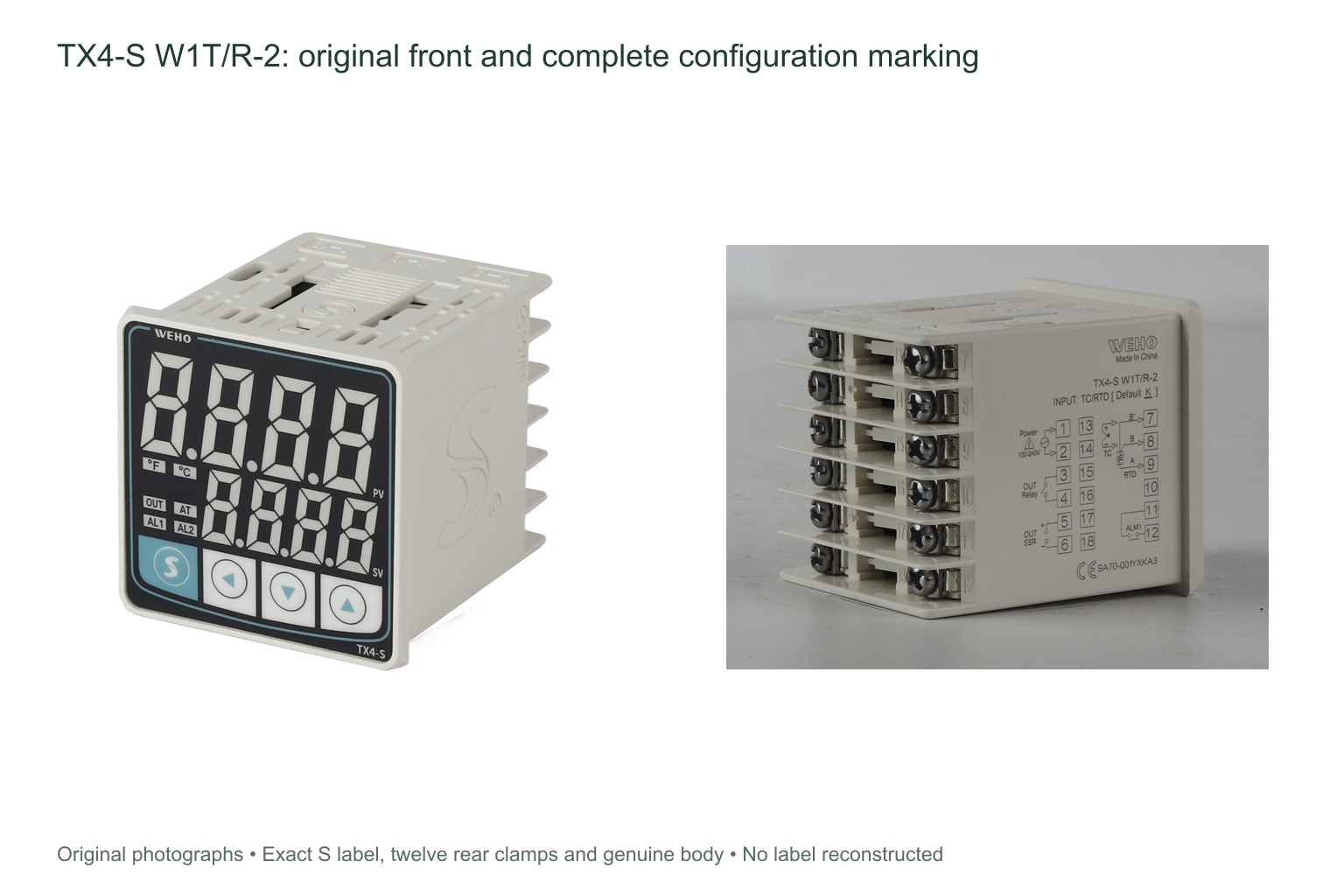
For purchasing and commissioning, specify the sensor type, its location and the controlled process variable together. The photographed TX4-S W1T/R-2 accepts the thermocouple and RTD input types listed in its matched manual, but the configured input must match the actual sensor. Do not use an input-correction setting to hide an incorrect sensor type, a wiring problem or a poor measurement location.
Know which front-panel indicators you are using
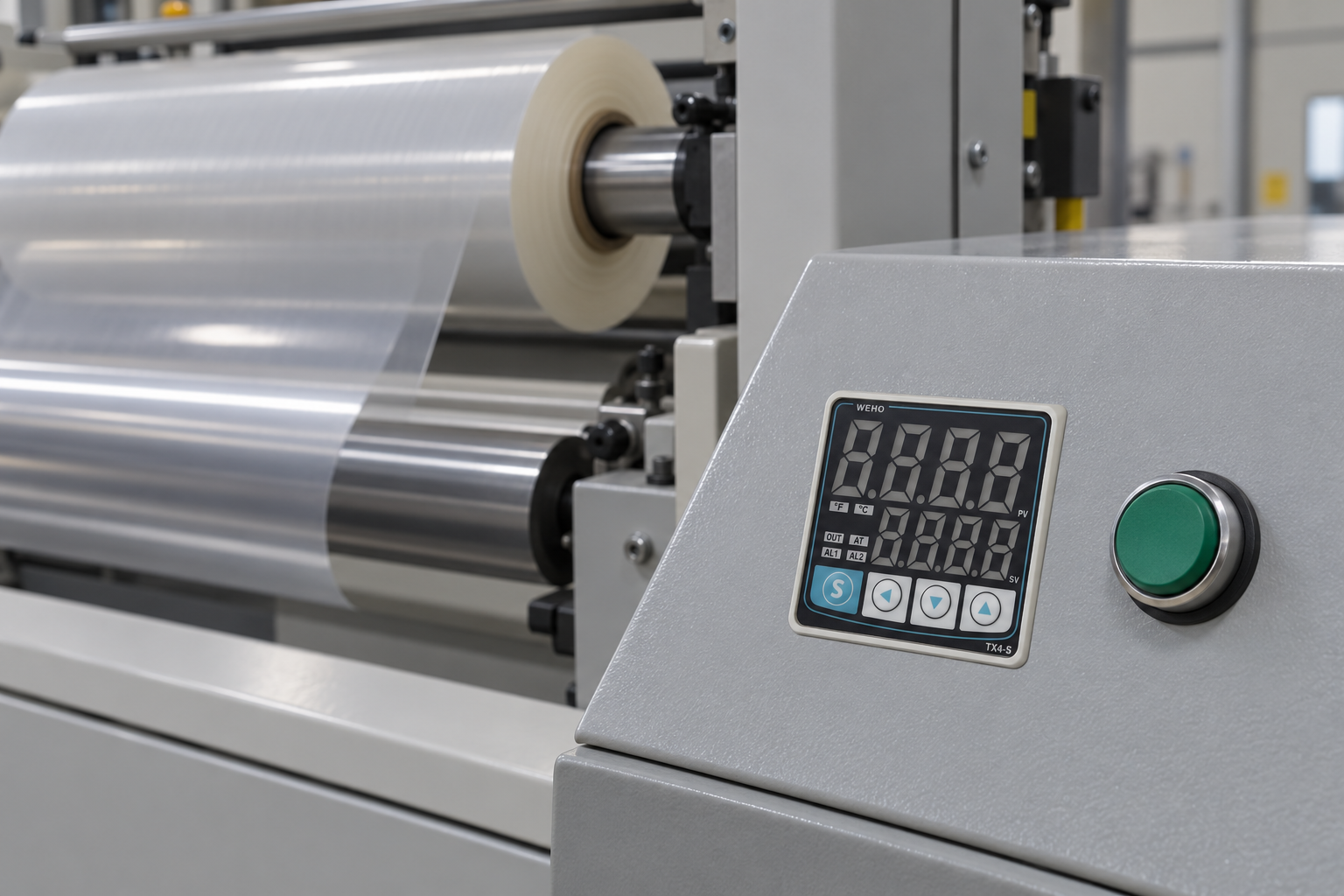
The manual defines OUT as the control-output indication, AT as the auto-tuning indication and AL1/AL2 as alarm-output indications where the model provides the relevant alarm. The AT indicator flashes during auto-tuning. This is different from a stable production condition and should not be confused with an alarm indication.
The TX4-S W1T/R-2 nameplate identifies an Alarm 1 version. Do not infer a second installed alarm output merely because the common front-panel artwork contains AL2. Similarly, the SSR drive is a control signal for a suitable external switching device, not a power source for a heater. The matched manual lists it as 12 VDC ±2 V, no more than 20 mA.
Check the displayed error before changing a setpoint
The manual associates HHHH and LLLL with PV being above or below the selected input range and specifies the output as OFF in those conditions. Those characters should trigger a check of the input, sensor and wiring against the correct instructions; they are not ordinary high and low setpoint values.
Changing sensor type, unit, decimal-point setting or SV limits can affect other settings. The manual warns that changes to these parameters initialize the SV setting. Record the existing configuration and verify the intended set value afterwards instead of assuming the old value has survived a setup change.
A useful handover record
A concise operating record should state the full controller model, RUN display unit and resolution, sensor type and location, required SV, process-ready criterion and the action for an abnormal reading. If product temperature or dwell time is important, describe how that requirement is checked separately from the controller display.
Use the TX4 product information to discuss the family and send WEHO the full model and application requirements when confirming an order. For configuration and connection details, use the instructions matched to the delivered unit.
Frequently asked questions
Does PV equal SV mean the process is ready?
Not by itself. It means the reported sensor reading matches the set value at that moment. Product temperature, uniformity and any required dwell remain process-specific checks.
Why is a word or code shown where PV normally appears?
The controller may be in setting mode, where the upper row shows a parameter name. Confirm the mode before interpreting the row as temperature.
Is the OUT light proof that the heater is heating?
No. It indicates the controller output state. The external switching path and heater require their own verification.